What is ArkKVM
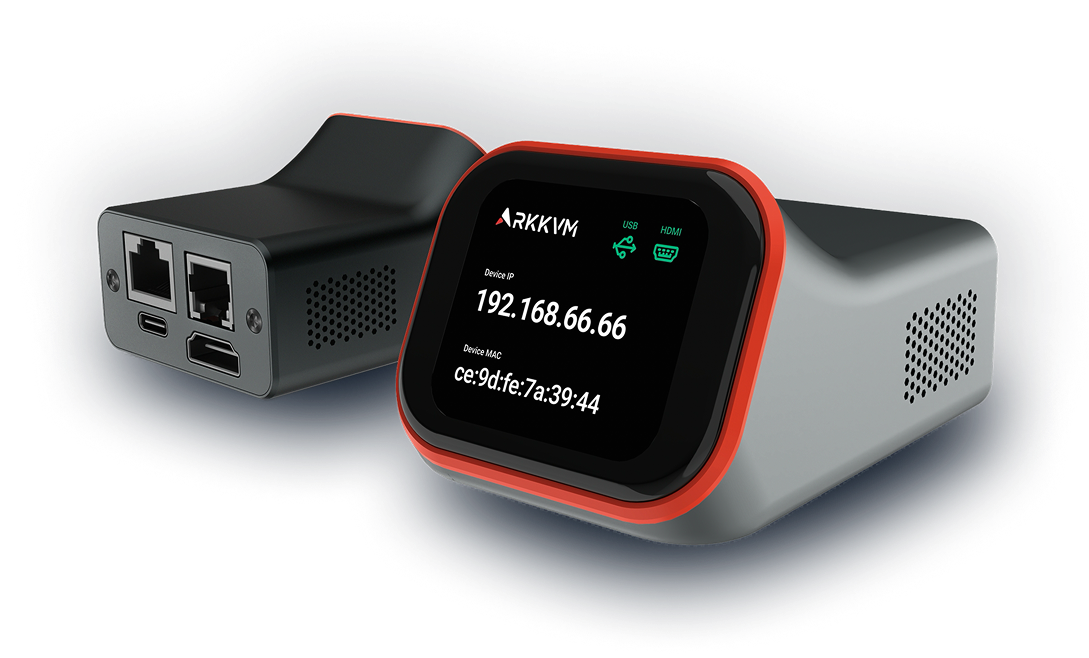
ArkKVM is a feature-rich, open-source, high-performance ARM-based KVM-over-IP device. It enables full out-of-band access to computers, servers, and workstations. You can power systems on or off, restart them, configure UEFI/BIOS settings, perform system maintenance, or reinstall an operating system using virtual media — all without physical access.
ArkKVM captures the video output of the target system and uses your local keyboard and mouse to emulate remote input devices. The remote system is streamed to your web browser as if you were sitting in front of it.
With features like two-way audio and built-in file transfer, ArkKVM makes remote system management simple and efficient.
ArkKVM Specification
-
Demension: 2.04" W x 2.67" L x 1.6" H, 52mm W x 67.8mm L x 40.77mm H
-
Operating System: Optimized Linux OS 5.10 with Buildroot
-
CPU: Rockchip RV1106B, Cortex A7 1.2GHz ARM CPU, H264 & H265 hardware encoder
-
Video: RK628H HDMI capture chip
-
RAM: 256MB RAM DDR3
-
Storage: 32 GB EMMC
-
Screen: 1.83 Inch IPS, 240 × 283, capacitive touch screen
-
Network: 10/100 Mbps Ethernet with IEEE 802.3af PoE support (compatible with 802.3af/at/bt switches and injectors)
-
Ports: USB-C (USB 2.0 480Mbps), HDMI, RJ12 extension port, RJ45
-
Line voltage: 5V DC Max 1A
-
Frequency: 50Hz to 60Hz, single phase
-
Operating temperature: 0-60°C (32–140°F)
-
Storage temperature: -20-70°C (-4–158°F)
-
Relative humidity: 5-90% non-condensing
-
Certification: FCC/CE/UKCA compliant
What's in the box
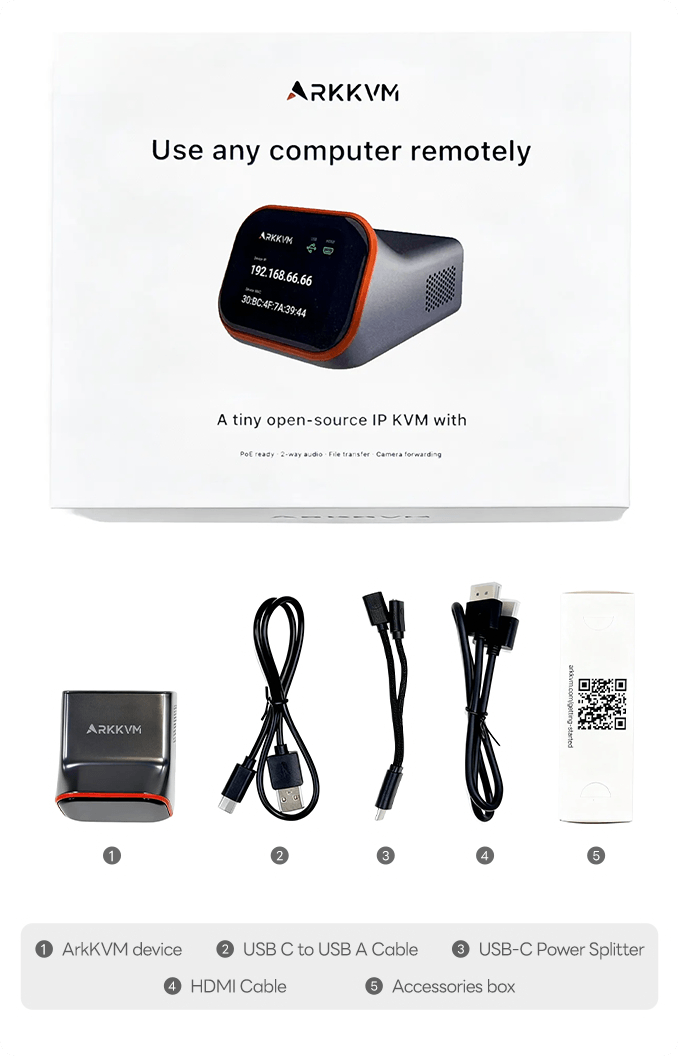
- ArkKVM device
- 1 x USB C to USB A cable
- 1 x USB Power Splitter
- 1 x HDMI Cable
ArkKVM Interface
Front screen view
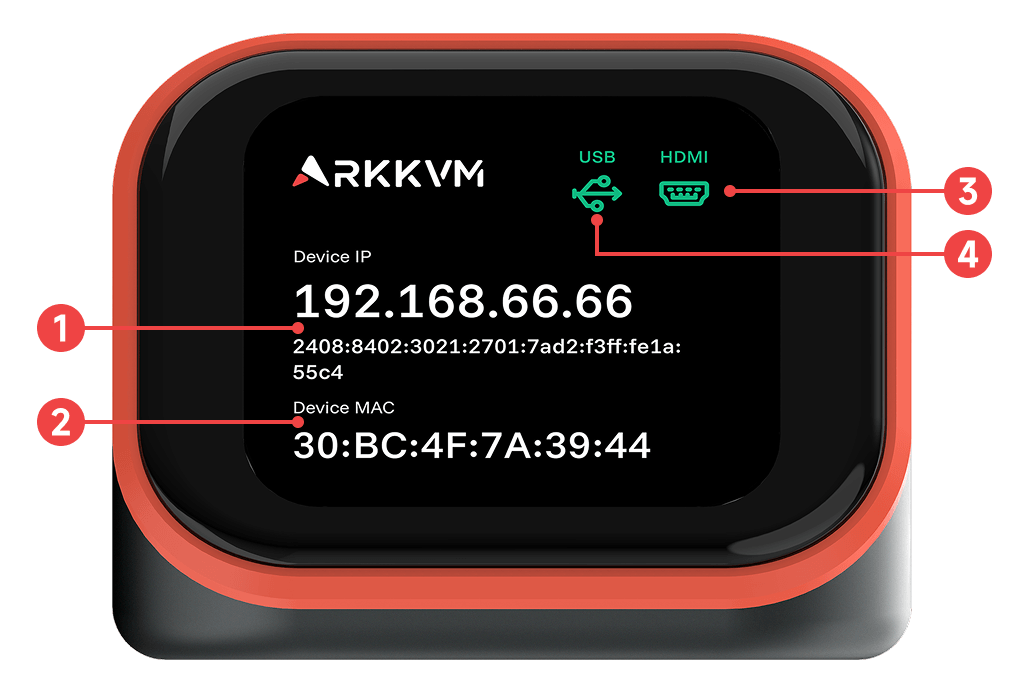
The front display of ArkKVM provides essential device information at a glance. Each section shows the following:
- Device IP – The IP address assigned by your network, used to access the web UI. IPv6 will be displayed when available.
- Device MAC – The unique MAC address of the device.
- HDMI Cable Status – Indicates whether the HDMI connection to the target system is active.
- USB Cable Status – Indicates whether the USB connection to the target system is active.
This information helps you quickly confirm that ArkKVM is properly connected and ready for remote access.
Rear ports view
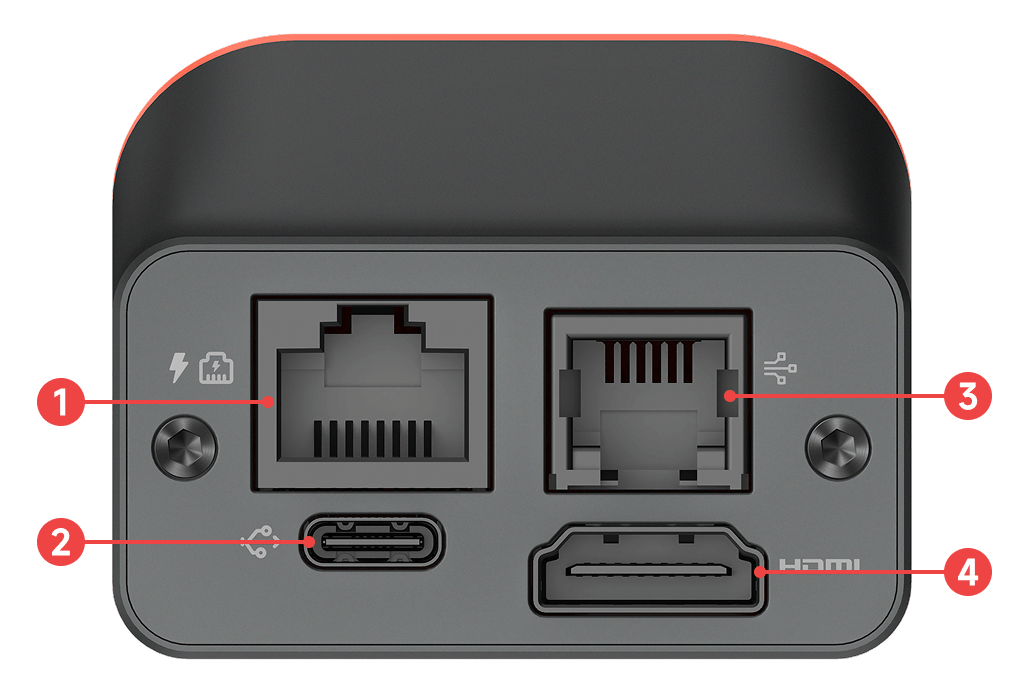
ArkKVM provides the following ports:
- Ethernet (RJ45, PoE) – Provides network connectivity and optional Power over Ethernet.
- USB-C – Connects to the target system to provide keyboard and mouse control.
- Extension Port (RJ12) – Used for the ATX power control extension.
- HDMI – Receives the video signal from the target system.
Right side view
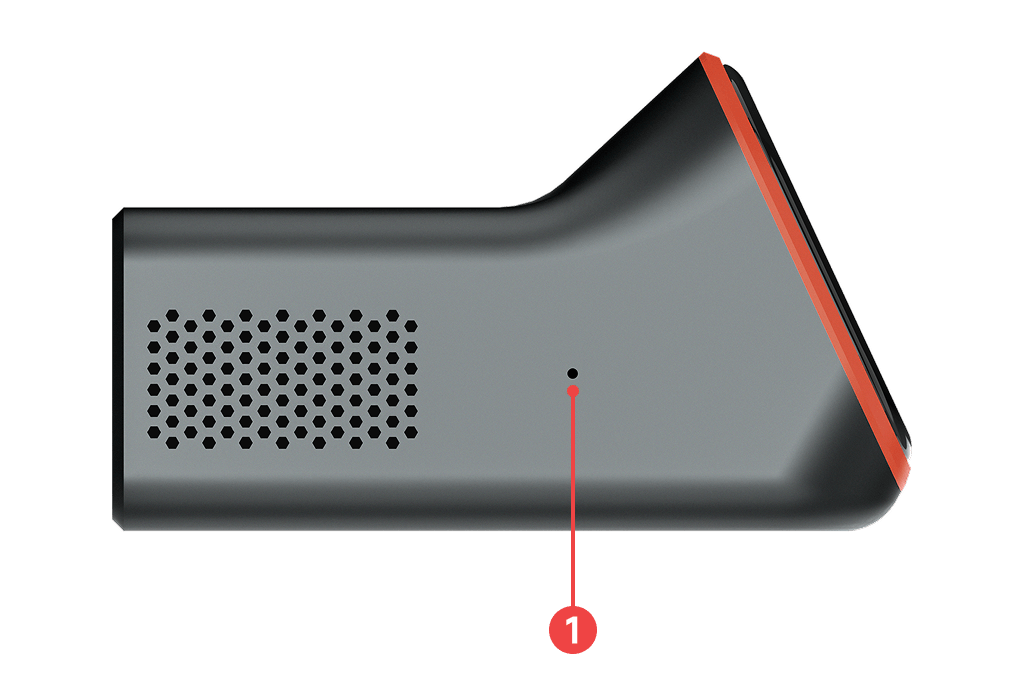
ArkKVM includes a dedicated reset button for entering firmware flashing mode. For detailed instructions, refer to the Advanced Usage → Factory Reset (Firmware Flashing) section.
- Reset Button - Use a thin pin or paper clip to press the reset button through the small hole on the right side.